Marketplace software for startups and entrepreneurs
Build your marketplace.Run it on Opero.
Bring local stores, customer ordering, merchant tools, and delivery together under your brand.
Launch a multi-vendor marketplace with a connected storefront, merchant operations, dispatch, and payment configuration.
Your market. Your brand. One operating foundation.

Browse by category

Restaurants

Grocery

Bakery
Local Market
Restaurants
Grocery
Your brand. Their next order.
Your logo. Your colors.
Make the experience recognizable as your brand.
Your own domain
Give your marketplace a home customers remember.
Branded web and apps
Carry your identity across the website and iOS and Android customer apps.
Multiple sellers. One destination.
One brand. Many local businesses.
Launch a marketplace that brings together the best of your community — from local restaurants and grocery stores to specialty shops — all under your brand.

Local delivery
Connect neighborhood restaurants, cafes, and takeaways into one regional delivery hub.
Vertical marketplaces
Curate groceries, pharmacies, bakeries, or specialty retail under a focused category brand.

Group and venue ordering
Unite independent kitchens in a food hall, campus, or district with one shared checkout.
One connected foundation
A storefront is only the beginning.
Customers
One place to browse stores, place an order, and follow its progress.
Merchants
Catalogs, hours, stock, and incoming orders for every store.
Drivers
Order assignment, delivery workflows, and customer tracking.
Marketplace admin
Stores, zones, fees, reporting, and payout configuration.
From discovery to delivery
A connected experience, from browse to delivery.
Give your customers a familiar way to explore local stores, place orders, and track delivery — on your branded website and iOS or Android apps.
Discover the right store
Browse stores, search categories, and explore featured merchants across your marketplace.
One cart. One checkout.
Let customers shop across businesses with a single checkout and delivery or pickup times per order. Configure multi-card payment for your payment setup.
Follow every order
Connect checkout to merchant preparation, driver workflows, and delivery tracking, with administration and payout configuration behind the experience.
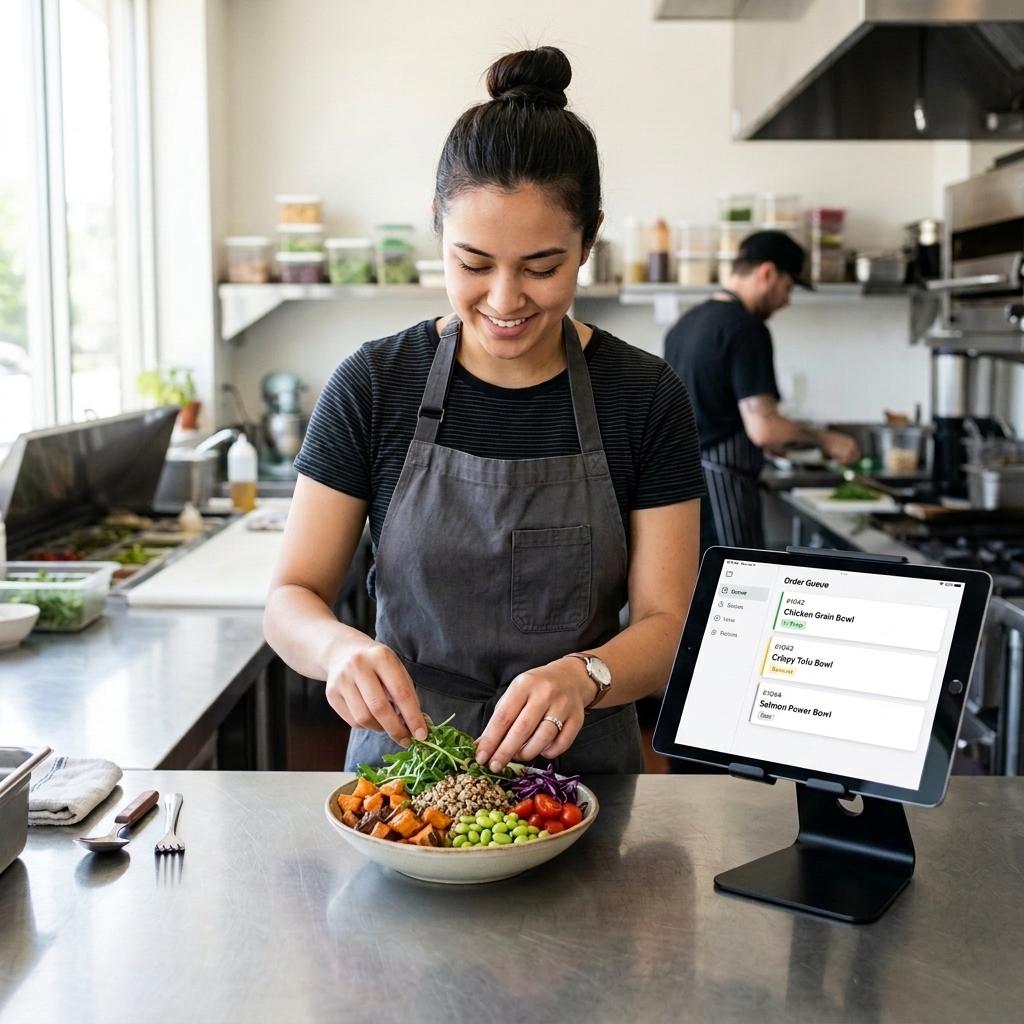
Merchant operations
Give every merchant a clear way to work.
Each store manages its catalog, menu, hours, stock, and incoming orders through the merchant tools.
- Catalog and menu — Prepare the products and operating information customers need to order.
- Hours and stock — Keep store availability and item availability aligned with operations.
- Order handling — Give each merchant a workflow for incoming orders and preparation.
- Printers, KDS, and POS — Review supported connections and the setup needed for each store.
Delivery operations
Connect the delivery model you run.
Coordinate service zones, order assignment, driver workflows, and customer tracking around your marketplace orders.
- Your fleet — Plan your drivers, service zones, and dispatch workflow.
- A third-party network — Review supported providers and their coverage for your market.
- A mixed operation — Define which orders your team handles and where an external provider fits.

Marketplace administration
One view of your marketplace.
Stores and catalogs
Bring store catalogs, operating hours, and availability into your marketplace setup.
Service zones
Define the areas and delivery coverage your marketplace serves.
Fee rules
Connect your commission, delivery, and service fee choices to the operating model.
Operational reporting
Review marketplace activity alongside your store and delivery operations.
Choose the stock authority before automating fulfillment.
A multi-vendor order-management system needs an explicit source of truth for each merchant’s catalog and availability.
Assign stock ownership to Opero or the merchant’s connected POS or inventory system. For each connector, agree whether updates are imported, exported, or exchanged, which products and locations they affect, and how a failed or delayed update is detected. Do not assume every integration has bidirectional stock sync.
Marketplace control
You set the rules of your market.
Configure commission percentages, zone delivery fees, service fees, and payout splits across every merchant and driver in your marketplace.
Illustrative configuration
Order summary
- Order subtotal
- $420.00
- Delivery fee · zone B
- $35.00
- Service fee
- $12.00
- Customer pays
- $467.00
Split rules
Illustrative allocation
- Merchant
- $327.60
- Driver
- $45.00
- Marketplace
- $94.40
Merchant onboarding
Make the next store easier to bring onboard.
Prepare each merchant’s menu, payout relationship, and ordering workflow before making it available to customers.
- 01
Invite or self-signup
Define merchant categories and commercial terms. Confirm the onboarding route for your configuration.
- 02
Prepare the menu
Import or prepare menus and store operating information for the customer experience.
- 03
Set up payouts
Configure the merchant payout relationship required by the payment setup you choose.
- 04
Make the store available
Check menu and operational readiness before customers can order.
Getting started
From your first merchant to your first order.
Make the operating decisions before committing to a launch date. Before launch, test a complete order and the exception workflow with your implementation team.
Launch summary
Configure. Onboard. Launch.
Set brand, zones, fees, and payments. Prepare the first stores and their payout setup. Coordinate merchant and delivery operations as you open to customers.
Flexible by design
Build the experience your market needs.
Branding and customization do not imply ownership of the backend or platform source. Licensing, infrastructure, support, and custom work require their own scope.
API and webhooks
Connect orders, stores, customers, and drivers to your own tools and data stack.
Your brand across touchpoints
Scope white-label web, customer apps, driver app, receipts, and notifications.
Frontend and custom workflows
Review open-source frontend code, custom implementation, and dedicated development scope.
Bring your own cloud
Enterprise deployment can run in your AWS, Google Cloud, Microsoft Azure, or Railway account.
Common questions
Questions before you launch.
Plan your marketplace
Start with a conversation about your operation.
Bring your city, categories, merchant model, and delivery plan. Review the storefront, merchant tools, driver workflow, and payment configuration that fit your scope.
Bring these to your demo
- Your target market and first merchant categories
- Customer, merchant, and driver app needs
- Store and driver management requirements
- Payment, payout, and commercial model
- Integrations and launch responsibilities
Bring your marketplace plan. Let’s work through the operation.
Product guide: Marketplace App
Food delivery under your brand
Planning a restaurant delivery marketplace? Explore a white label food delivery app for your brand.